The real HookEcho viewer
Pan, zoom, choose radar products, and use playback inside the official embedded viewer. Open Radar for a dedicated map with StormDesk’s local warning banner below it.
INSIDE STORMDESK 4.7.0
Weather, Radar, and History. Three destinations for a quick check outside or a closer look at your station’s archive.
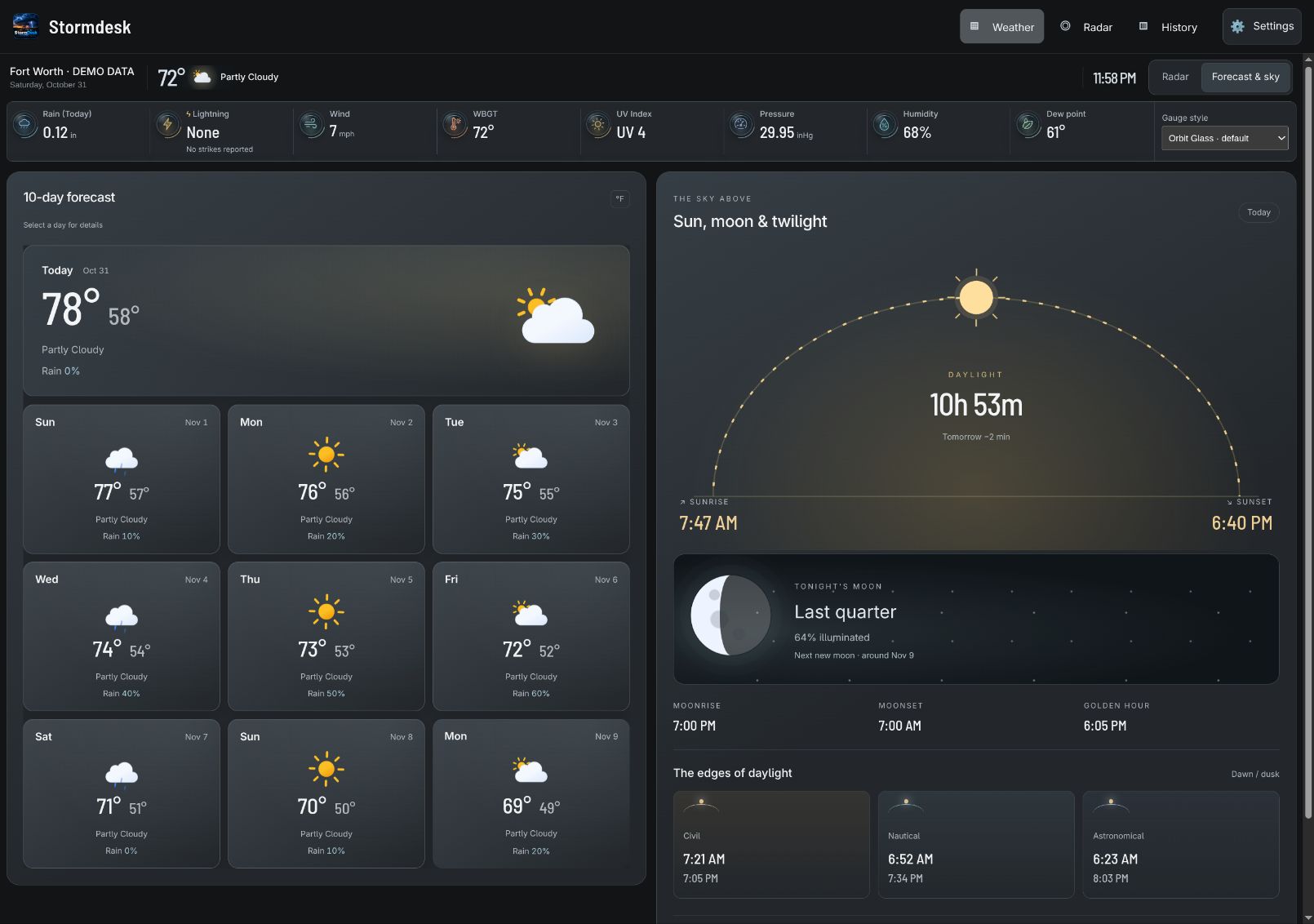
Rain, Lightning, Wind, WBGT, UV Index, Pressure, Humidity, and Dew point sit in a compact shelf above your forecast and astronomy. Switch to radar whenever you need the map. Select a reading for details. Missing readings stay labeled; estimates remain distinct from station measurements. WBGT is an estimate, not a measured instrument reading.
Pan, zoom, choose radar products, and use playback inside the official embedded viewer. Open Radar for a dedicated map with StormDesk’s local warning banner below it.
Each fresh session opens with up to ten days of conditions, highs, lows and rain chances in animated glass cards. Select a day for details; radar is a secondary view.
See sunrise, sunset, daylight, moon phase, moonrise/set, golden hour and three twilight stages. Animations respect reduced motion. Optional pollen, river, local PurpleAir, and camera panels depend on coverage and configuration.
Orbit Glass is the default. Use the Gauge style selector in the weather shelf to switch; your choice stays on that screen. These static close-ups show the first four gauges. The app animates them and respects reduced motion.





Choose Graphite Silver, nine other dark palettes, or a classic light, high-contrast, or e-ink theme in Settings → Appearance. Existing preferences are preserved.
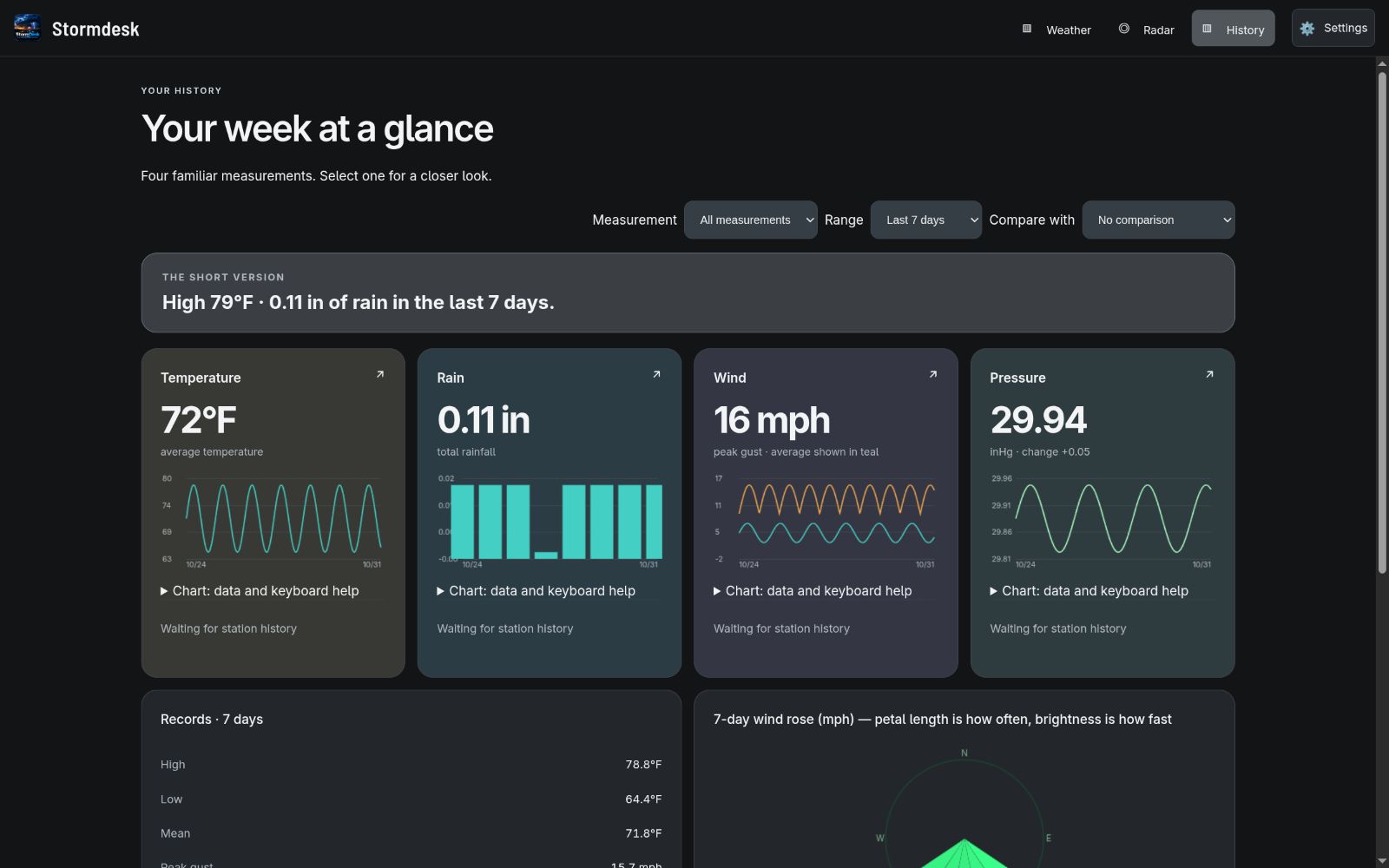
Start with temperature, rain, wind, and pressure snapshots. Explore detailed charts and tables, compare periods, and inspect records. On your installed station host, Archive review adds CSV import previews, notes, reversible exclusions, supported cloud recovery, and monthly or annual printable reports. Additional sensors show supported indoor, soil, air-quality, and battery channels.
| Hosted browser app | Your installed host |
|---|---|
| Start with a location and use forecast, radar, and supported cloud station data. | Collect supported station readings and keep the archive on your own computer. |
| Preferences stay in this browser at this address. | Serve household screens over your local network; use /public for read-only access. |
| No StormDesk account required. Weather services require internet access. | Desktop, Linux browser-mode, and Docker options. A host must stay running for collection and household access. |
Native downloads are available for Windows, macOS, Linux, Raspberry Pi, and Android. Station connection methods vary by device and source; see compatibility before choosing a setup.
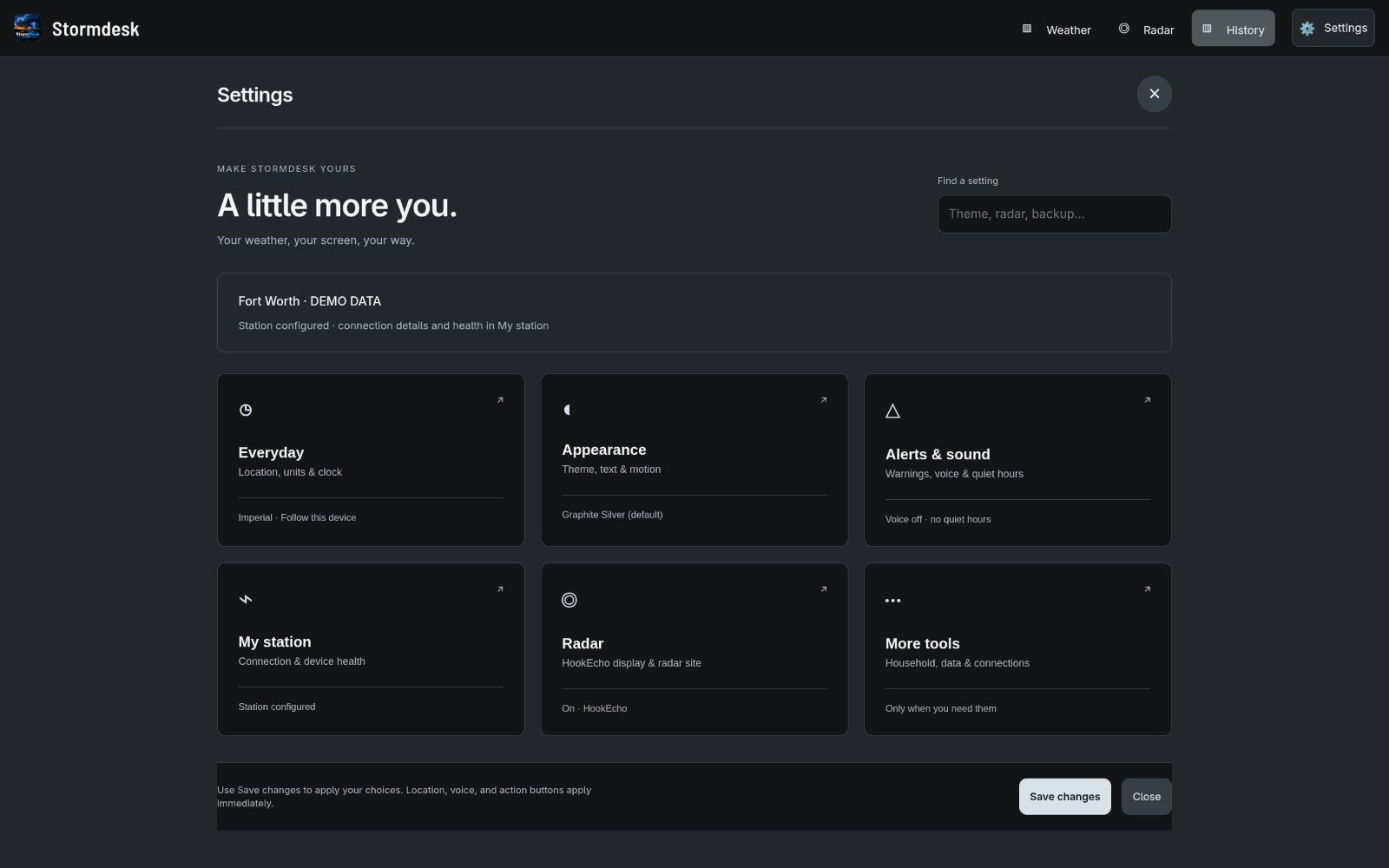
Everyday, Appearance, Alerts & sound, My station, Radar, and More tools organize the controls. Search for a setting, open its category, and save your changes. Start with the setup guide for station connections and troubleshooting.
Forecast and warning coverage varies by provider and region. Keep an official emergency source available.
Charcoal and amber.